Showing posts with label work. Show all posts

Tuesday, July 24, 2007

Pictures of O&B Agile Training Day 1


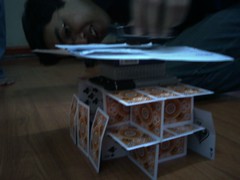
Take a look at those cards! They actually stand :D

That's Miguel Arguelles from the Endangered Species team.

Interested in pictures of the XP game we had that Saturday? Click the link to my Flickr set of Agile Training pictures ;)

Sunday, June 17, 2007

がんばる!

I am saying がんばる! so that I wouldn't feel the difficulty of learning a new methodology and new tools too much.

I have to learn how to use Oracle Designer and some things about IE. I kind of feel like this:
Photo Sharing and Video Hosting at Photobucket
for now but I suppose that I should just keep trying my best, ne?

I must try being more like this:
Photo Sharing and Video Hosting at Photobucket

Wednesday, May 09, 2007

Git basics part 2

Thank God for Owie and that he's here in the office while I am trying to use Git.

You ALWAYS need to know if you're at the latest revision.  Two ways to check:
1. You could do this by checking the timeline on your Trac browser.  OR,
2. You could do a git-svn fetch :)

When you do a git-svn fetch, sometimes it looks like there's nothing going on but it implies that you're at the latest revision.

Things to note when committing files:
  1. Update first so that you're surely working with the latest revision.  If someone checks in his/her work 3 minutes ahead of you and you haven't updated, you might experience some errors.
  2. Commit to the local working directory first. (Difference with svn is that in svn you commit it directly to the repo when you're using svn.)
    • command: git-commit -a
  3. Merge/commit the one you have on your working directory with the central svn repo.  Note that if you forget to do #1, you might get an error. If you forget to do #2, you might get an error as well.
    • command:  git-svn dcommit

Git basics

Got these things from Owie:

link: http://utsl.gen.nz/talks/git-svn/intro.html#howto-track-svn

Tips:
Updating tree from SVN

Essentially equivalent to an svn up

   * git-svn fetch
   * git rebase remotes/git-svn


Also:
  1. Create a new directory where the project will be checked out.

  2. Initialize the newly-created directory: git init-db

  3. git-svn init [path of your repo]

  4. Fetch HEAD from SVN. Please take note that Git does not accept 'HEAD' - you will need to derive the exact revision that corresponds to HEAD: git-svn fetch -r xxxx

  5. git checkout master


I've been putting off using git for a while but I am trying to practice using it now.

Monday, December 18, 2006

Work with passion

I love seeing people who work with so much passion. Even if they're working on seemingly small things, they give their best.

I recall a time when I was mainly assigned to format a certain set of documents. It wasn't really such a huge task. But it was tedious in so many ways. Also, it turns out that there were some things that didn't get saved the night I worked on another computer. Must be because of file permissions or something. I wasn't able to check because I was pretty tired already. But I saw how those formatting tasks were important especially once I saw the printouts of the docs. Wah! It was embarrassing to find that some of the exercises in the manual didn't have proper formatting. I wanted to have good manuals and those formatting errors passed by me... Oh noes indeed! :/

What I learned from that time is that no matter what tasks you have, you must give your best all the time. Even if it takes you longer than you expected, or longer than you like, just to complete the task, it's better than just going away without fixing things. Also, if you really like your job, you'd do these little things anyway, even without people asking you to do so. Why? Because you see how important it is and you also enjoy it in the process.

I have to admit though that there are times when the tedious little tasks seem boring but it's through those things that we gain experience. And a different perspective. I guess that's why I really like being with people who are passionate. Work wouldn't feel dreary with them around.
Labels

Blog Archive

Connect